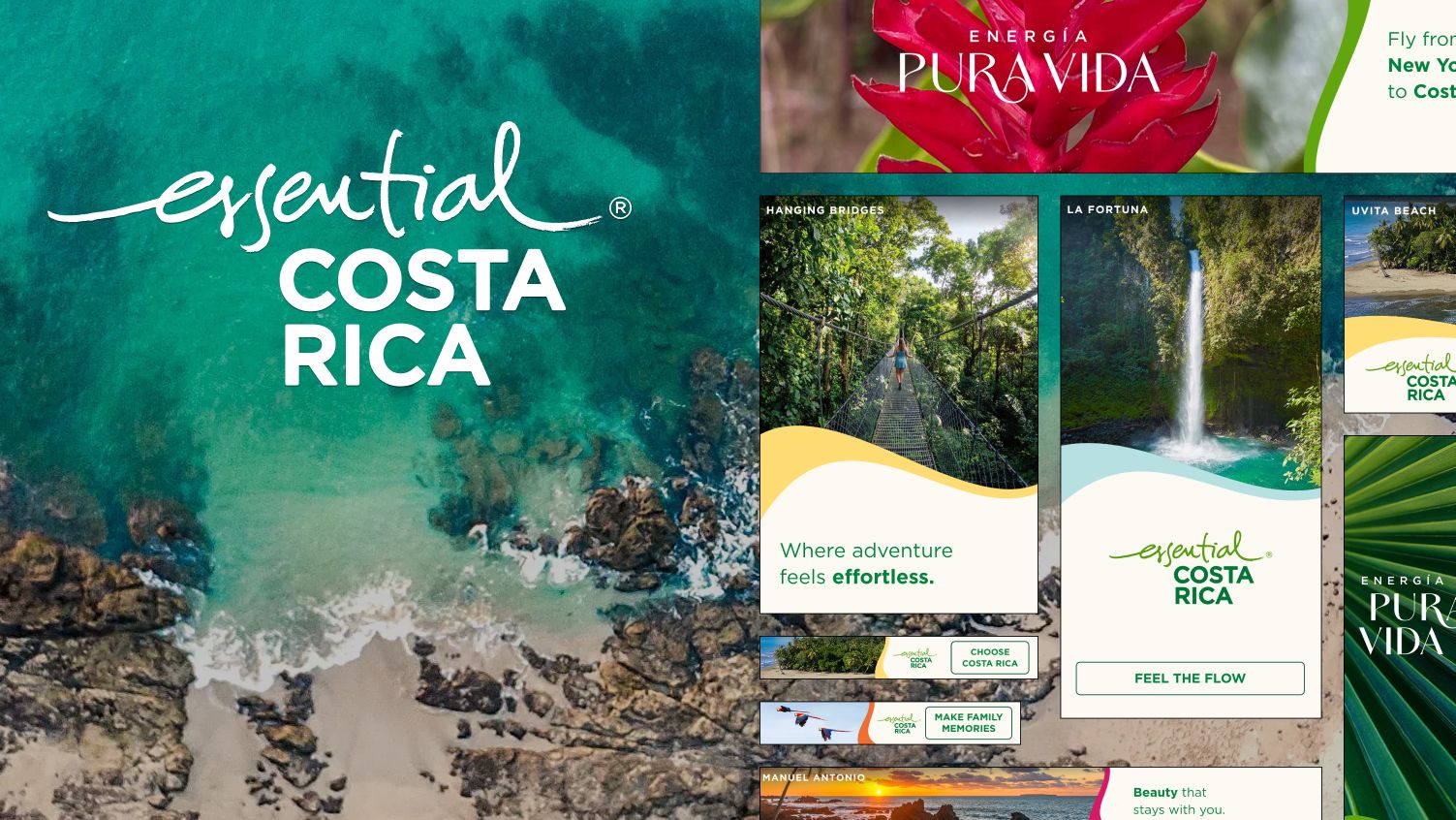
Visit Costa Rica - Air Service Campaign

Scalable, data-driven banners built to handle multi-market content under strict performance constraints.

An image showing the project title and a set of banners over a Costa Rican beach

Technologies

  • HTML
  • SASS
  • CSS
  • JavaScript
  • GSAP
  • Google Sheets
  • Google Studio

Background

VisitCostaRica.com is the official tourism portal for Costa Rica. The platform is designed to convert global interest into boots-on-the-ground travel by showcasing the country’s unique blend of 'Pura Vida' culture, world-class conservation, and luxury adventure.

Visit Costa Rica approached TravelDesk to produce and run dynamic display ads for their upcoming Air Service campaign.

The Brief

This campaign required:

  • 3 markets: USA (EN), Canada (EN), Canada (FR)
  • 8 banner sizes per market
  • 5 audience segments per location
  • Unique messaging, imagery, styling, and links per audience

Without a dynamic solution, each variation would need to be delivered as a static file.

The Challenge

Considering the number of banner sizes, markets, locations and audience segments, creating static banners would result in 6,720 files. This would increase editing time, make it error prone and hard to maintain.

The goal was to reduce this complexity while allowing highly targeted content.

Technical Approach

Dynamic Architecture

Instead of static builds, I implemented a data-driven system where:

  • Banners shared the same content structure and animation logic.
  • Content was injected dynamically based on location and audience (via Google Studio).
  • Fallback content was used when targeting criteria were not met.

This reduced thousands of potential outputs into a small maintainable codebase.

Technologies Used

HTML and CSS

Used for layout and visual structure. Given the strict file size limits and animation requirements, a frontend framework would have added unnecessary overhead.

Javascript

Used for:

  • Loading and mapping dynamic content from Google Studio.
  • Control the animation state and sequencing.
  • Handle interaction and analytics tracking.

GSAP (GreenSock Animation Platform)

GSAP is an animation library that simplifies the process of creating complex animations and offers features that go beyond what CSS animations can achieve.


GSAP was used to orchestrate animations and handle the SVG wave morphing effect required by the brand guidelines.


It was chosen over CSS animations due to:

  • Timeline-based sequencing
  • Better control over complex, synchronised animations
  • Consistent behaviour across browsers

Google Sheets and Google Studio

  • Google Sheets acted as a lightweight content database (feed)
  • The dynamic profiles were created in Google Studio.
    • Each profile is grouped by language, market and banner size.
    • Each profile is connected to a specific tab to the feed.
    • Each profile is assigned to a banner which injects the content into it.
  • Google Studio also handled targeting logic by filtering the content for each location based on audience type.

From an admin standpoint, this setup enabled content edits without modifying code.

Image showing the icons of all named technologies
brain_line

Technical Challenges

Learning GSAP

I learned and utilised GSAP’s MorphSVG plugin to meet these requirements with no prior knowledge.

Targeting and Data Structure

During this project, the Ad Ops and media team weren't familiar with handling geo targeted audience based ads.


I collaborated with them to:

  • Experiment and restructure the feed for clarity and scalability.
  • Troubleshoot issues and brainstorming solutions through the Google Studio documentation.
  • Introduce audience IDs on the backend.
  • Define a consistent dynamic profile naming convention.
pencil_ruler_line

UI Considerations

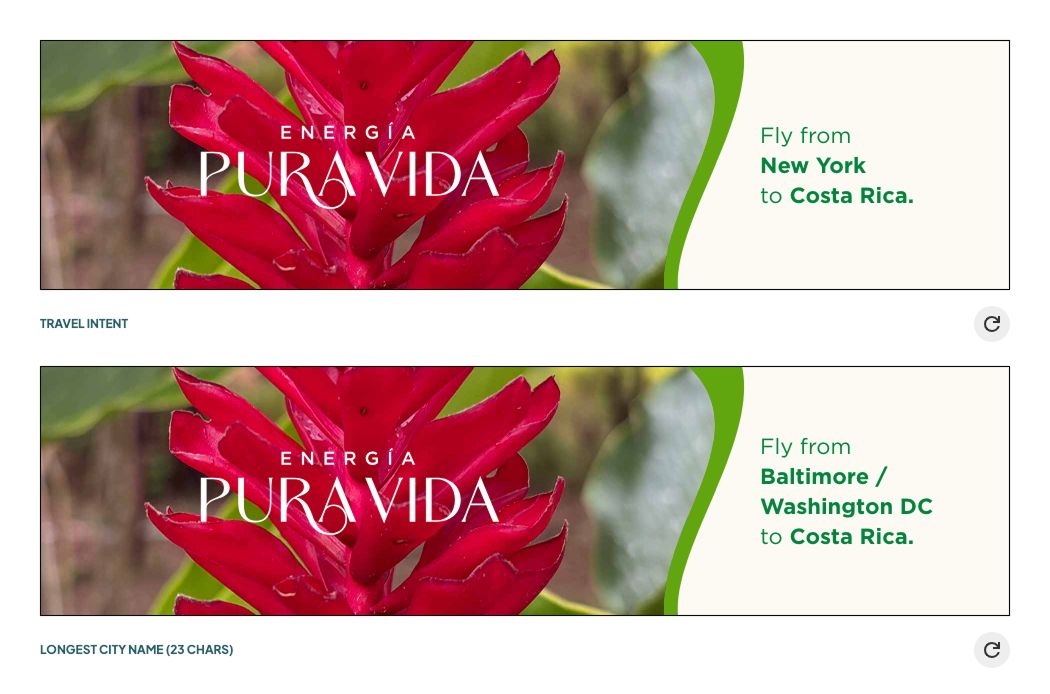
Dynamic Text Edge Cases

Some locations introduced unusually long city names. To handle this, I wrote a utility function that automatically resized text when it exceeded its container.


This ensured:

  • Visual consistency across all sizes
  • No manual overrides per location
  • Reduced QA overhead as new locations were added
An image depicting how the text adapts with long text. As the text gets longer, it moves onto multiple lines then shrinks if it goes beyond the maximum height of the text box.
photo_album_line

Screenshots

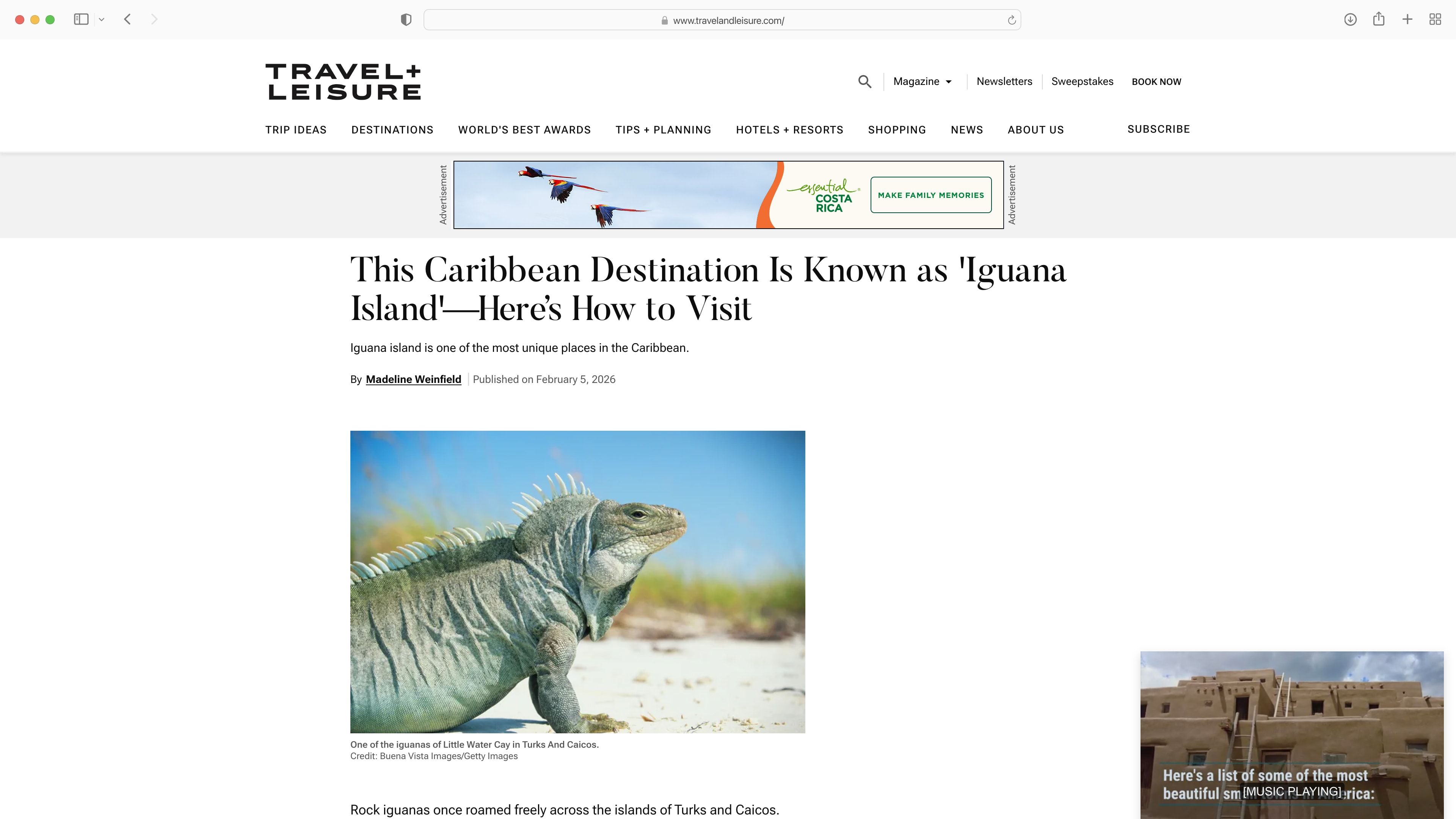
A preview of the Costa Rica family in focus leaderboard banner displayed in a Travel and Leisure web article
Family in Focus - Leaderboard Banner
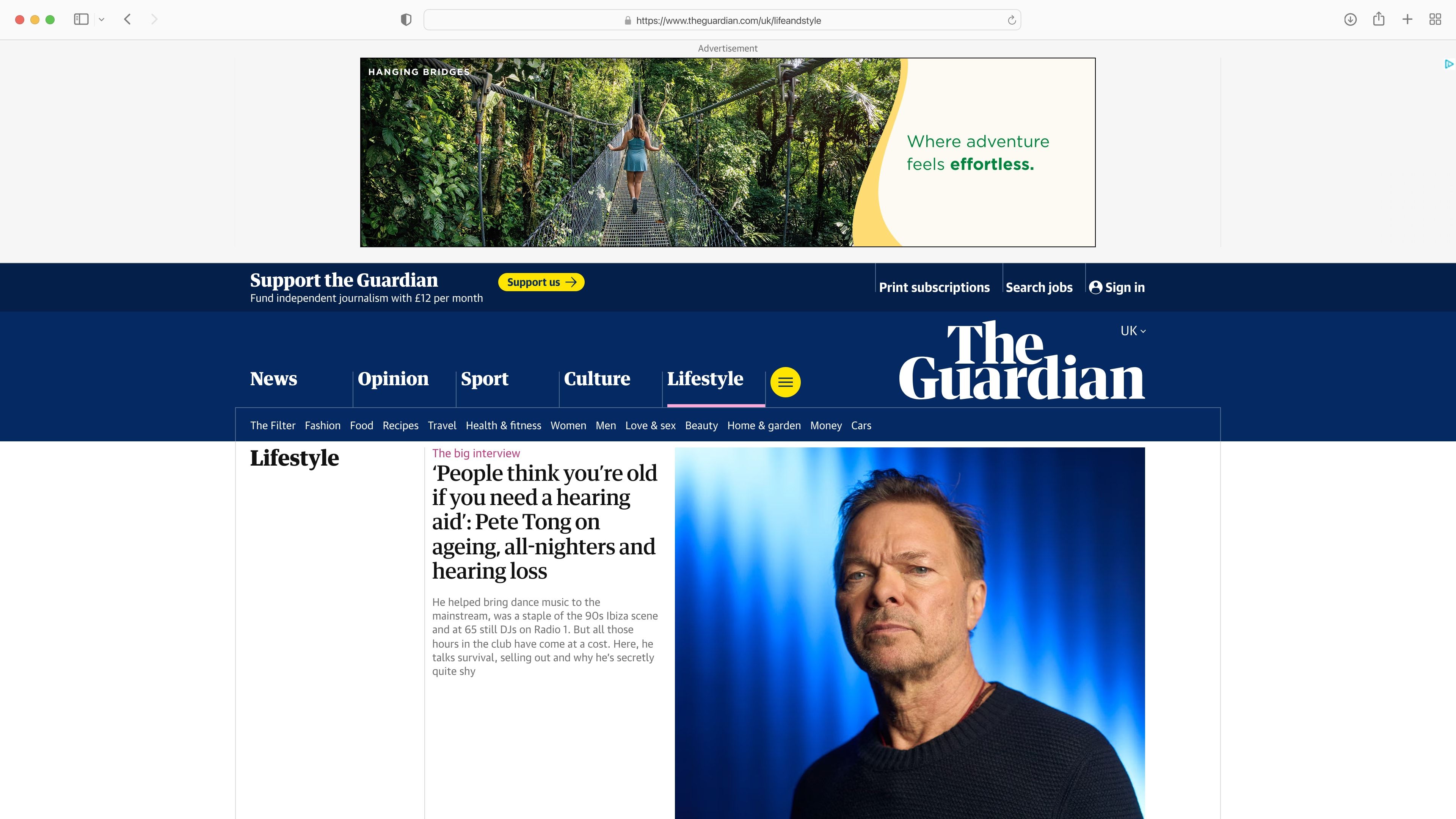
A preview of the Costa Rica Ambitious Achivers hero banner displayed in a lifestyle article on The Guardian
Ambitious Achievers - Hero Banner
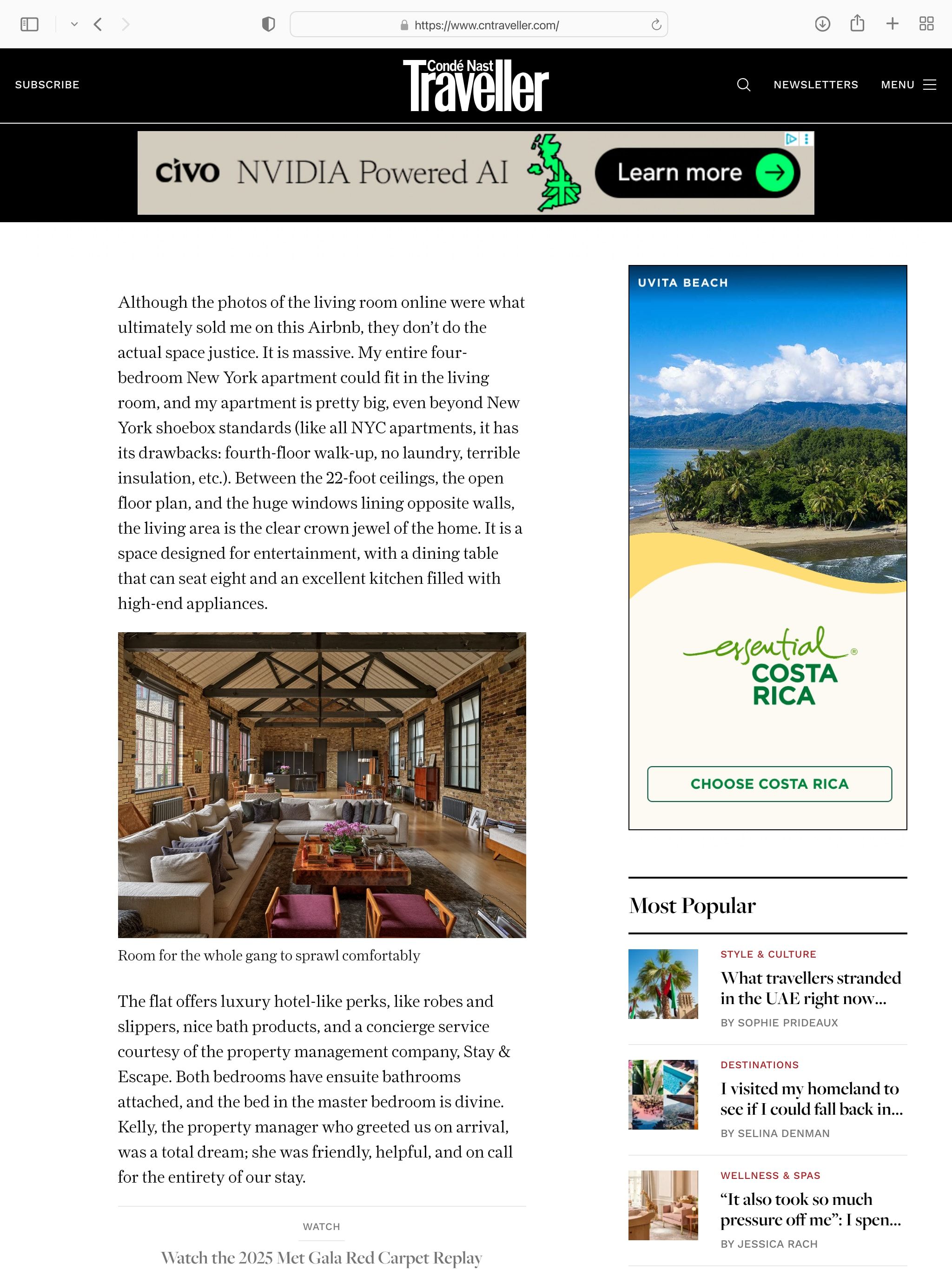
A preview of the Costa Rica competitive conquesting double-mpu banner displayed in a Traveller article
Competitive Conquesting - Double MPU Banner
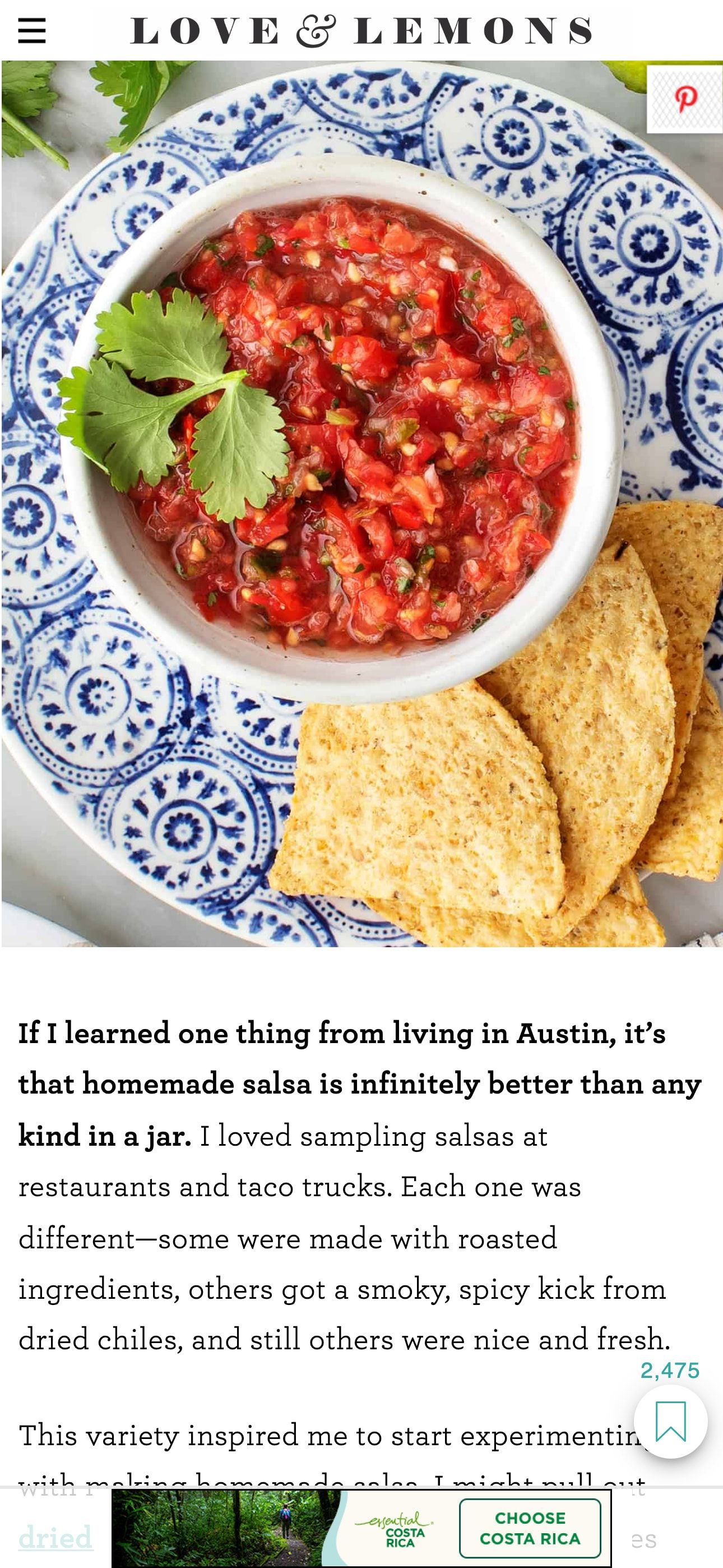
A preview of the Costa Rica travel intent mobile banner displayed in a recipe article
Travel Intent - Mobile Banner

Performance and Quality Assurance

Before launch, all banners were tested to ensure:

  • The correct content loaded for each targeting combination.
  • Animations ran smoothly and only once per view.
  • They contained the correct links.
  • The total file size met IAB standards.
  • Assets were optimised and loaded efficiently.
  • Interactions and tracking scripts worked accordingly.

Performance considerations included:

  • Image compression and quality checks.
  • Ensuring animation start only after critical assets were available.

Impact

  • Reduced campaign complexity from 6,720 static files to 24 files by creating a dynamic content system.
  • Enabled content updates without code changes.
  • Improved maintainability and reduced production risk.
mortarboard_line

Learnings

  • Data-driven UI systems benefit from close collaboration across disciplines.
  • Animations through JavaScript with GSAP ensure elements animate seamlessly across different browsers.
  • Defensive UI logic (fallbacks, dynamic resizing) greatly reduce QA risk.