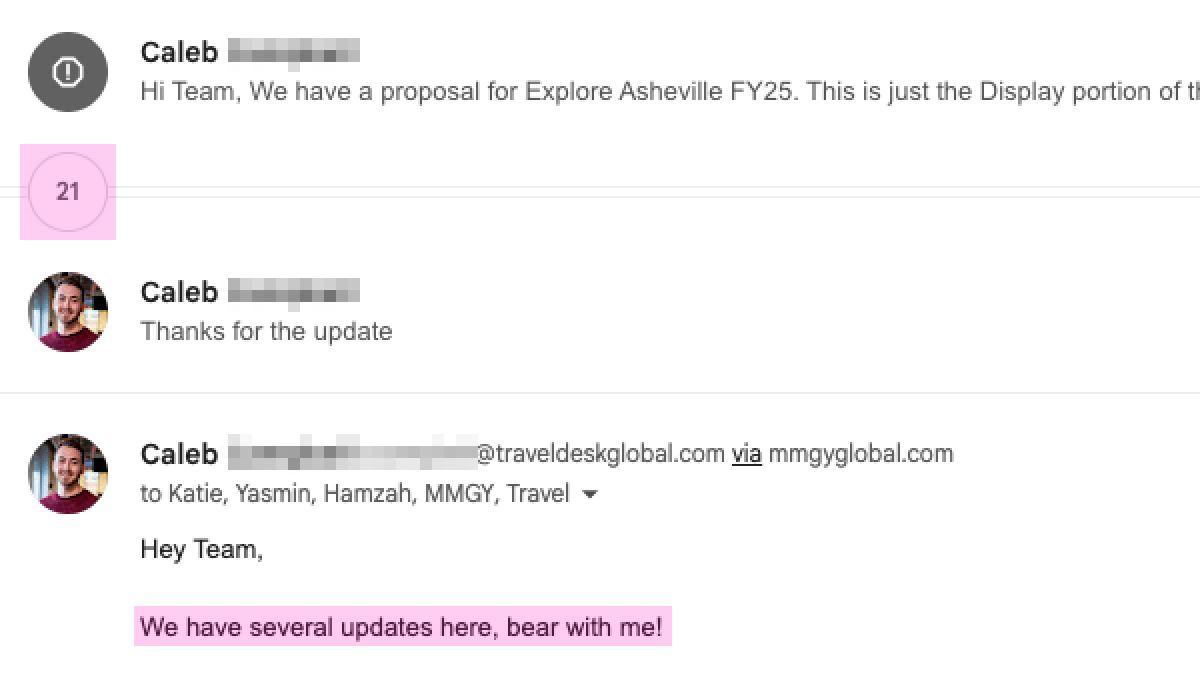
1. Fragmented Information
Campaign details were scattered across emails and Google Docs. Often times, feedback and iterations were lost due to long email threads.

The TravelDesk Production Brief is an internal web tool built on top of Google Sheets to streamline collaboration between account managers, ad operations, and production teams; reducing ambiguity and improving production efficiency.
TravelDesk is a travel advertising agency that empowers brands to connect with target audiences through engaging, high-performing ad campaigns and digital experiences.
Campaigns are usually handled by account managers, media teams, designers, developers and the ad operations teams. Before production starts, a brief is drafted to inform all team members about the client, the campaign details, goals, timelines, etc.
In the past, briefs were stored in Google doc files with the details coming from email chains between the client, account managers and production director for the most part.
As the sole developer, I led the end-to-end development of the Production Brief — from identifying workflow pain points to designing, implementing, and maintaining features.
I collaborated closely with the Production Director to shape the vision and user experience. I also worked directly with account managers and ad operation teams to refine the feature functionality based on their usage.
My other responsibilities include:
1. Fragmented Information
Campaign details were scattered across emails and Google Docs. Often times, feedback and iterations were lost due to long email threads.

2. Manual Repetitive Work
Account managers manually transferred data from emails. Also members of the Ad Ops team called clients to preview background audio samples only available on Spotify Ads.

3. Lack of Early Validation and Guardrails
Clients weren't aware when their content didn't meet ad platform guidelines. Editorial errors were discovered late in production.
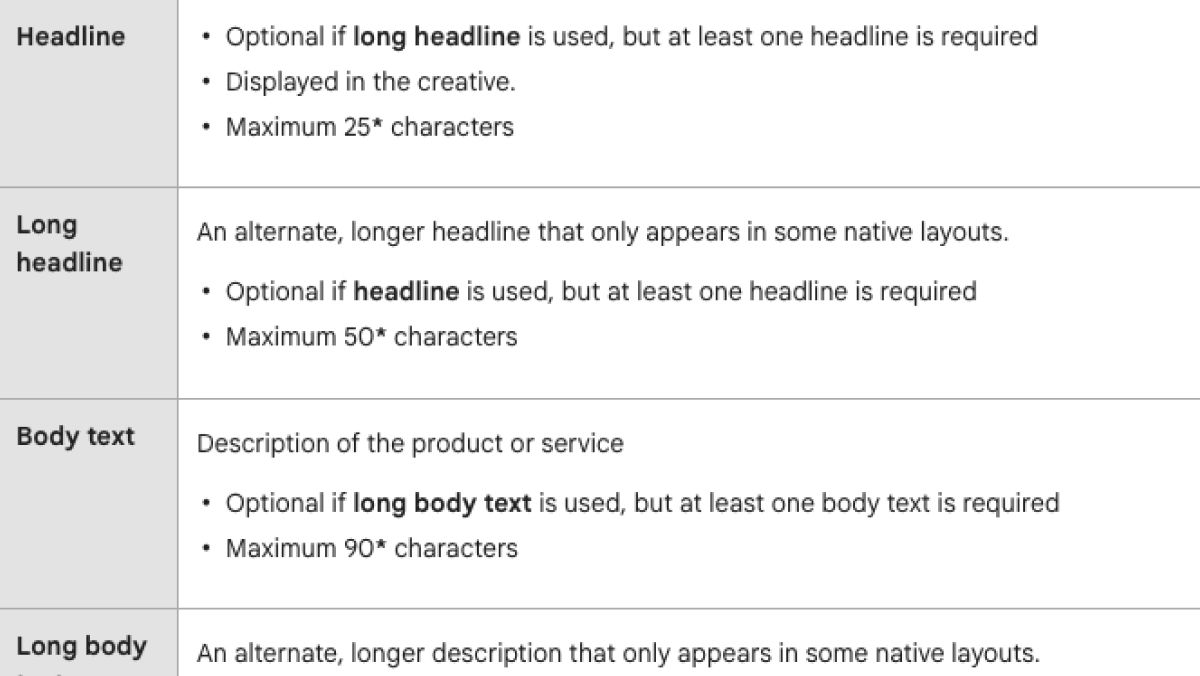
4. Unclear Use of Content
Clients couldn't visualise how their content would translate into banners. Without this context, clients often required clarification which slowed down the production process.
The existing workflow created operational friction, delayed production, and increased the risk of avoidable errors.
I researched possible solutions to solve these issues. Multiple third-party solutions exist but came at a cost. Some couldn’t address all problems. While a standalone web application would be flexible, introducing backend infrastructure would increase operational complexity and cost.
Since TravelDesk operated within Google Workspace, recreating the template with Google Sheets then enhancing it with Google Apps Script seemed like the ideal low-cost solution.
Google Sheets was ideal because:
Google Apps Script allows the spreadsheet to perform actions which aren't standard to Google Sheets. It also integrates with other Google services to automate processes and improve the user experience of Google apps.
For this project, enhancements include:
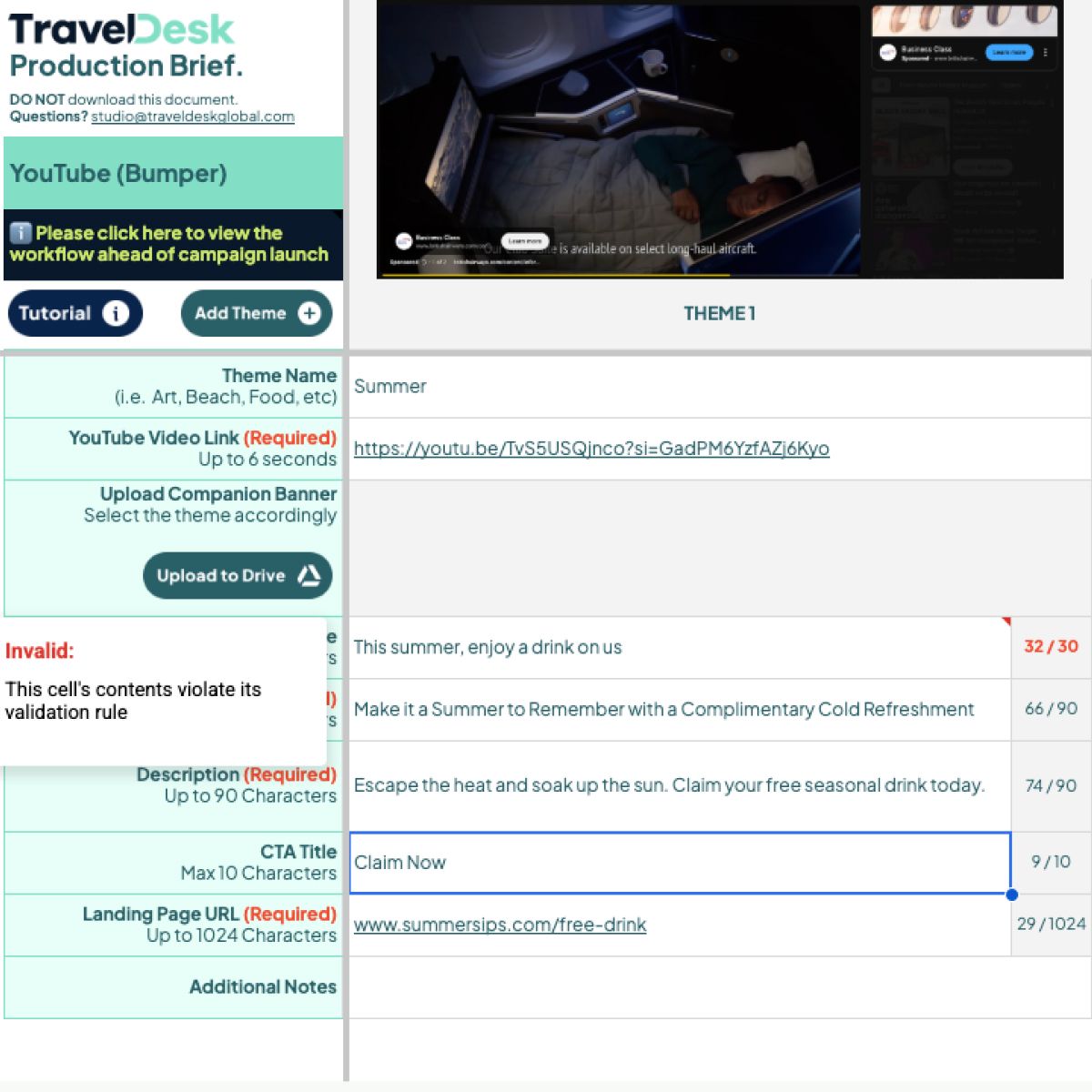
Required fields are now enforced.
Dropdowns offer specific values to reduce error. Certain fields now contain character counts and limit warnings.
Clients are required to fill the campaign and feedback forms.
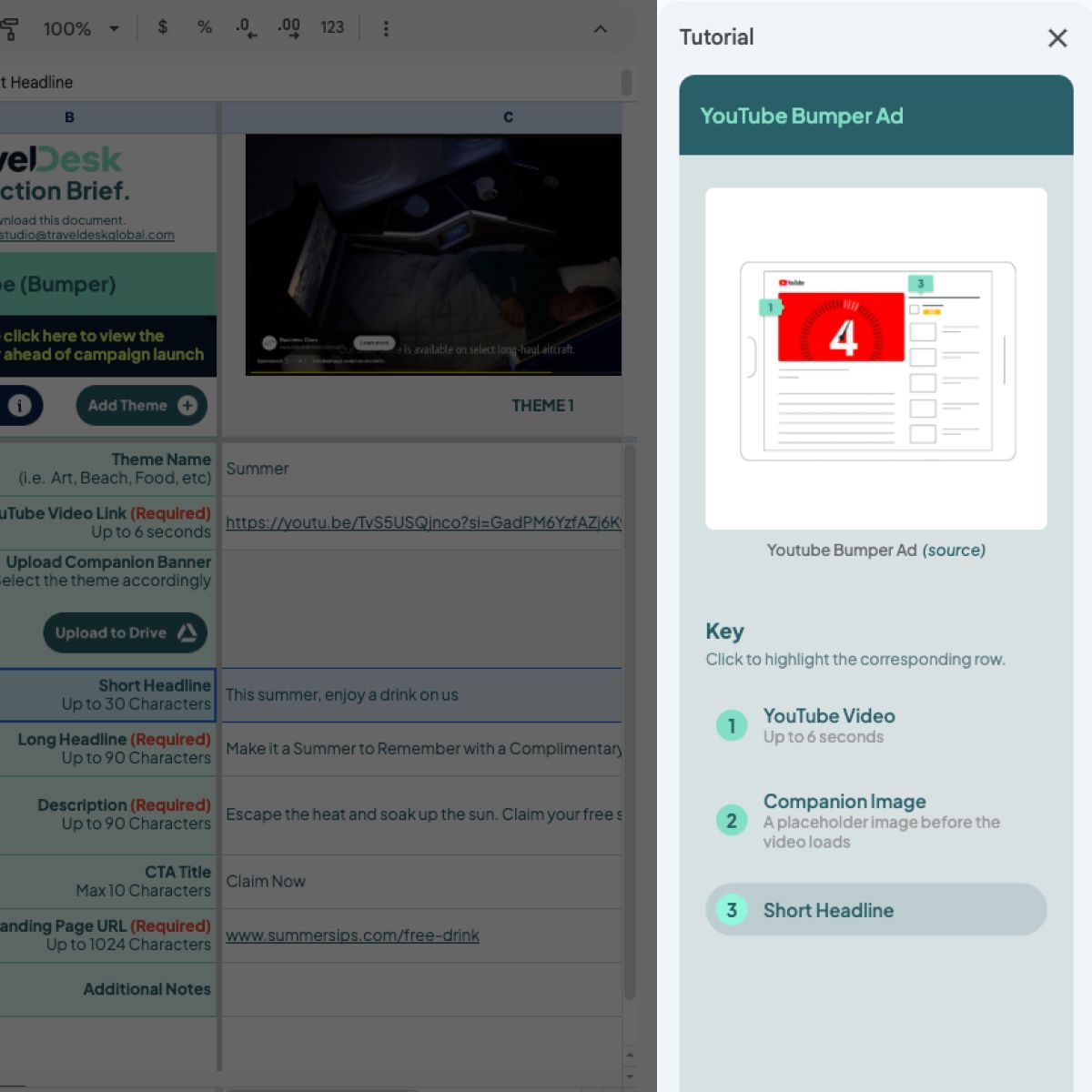
All forms contain tutorial guides which consist of reference images, a key and direct links to platform's specifications.
Clicking a referenced item highlights the row in the form.
Repetitive tasks (eg: creating new form themes, new rows, etc) are now automated by the click of a button.
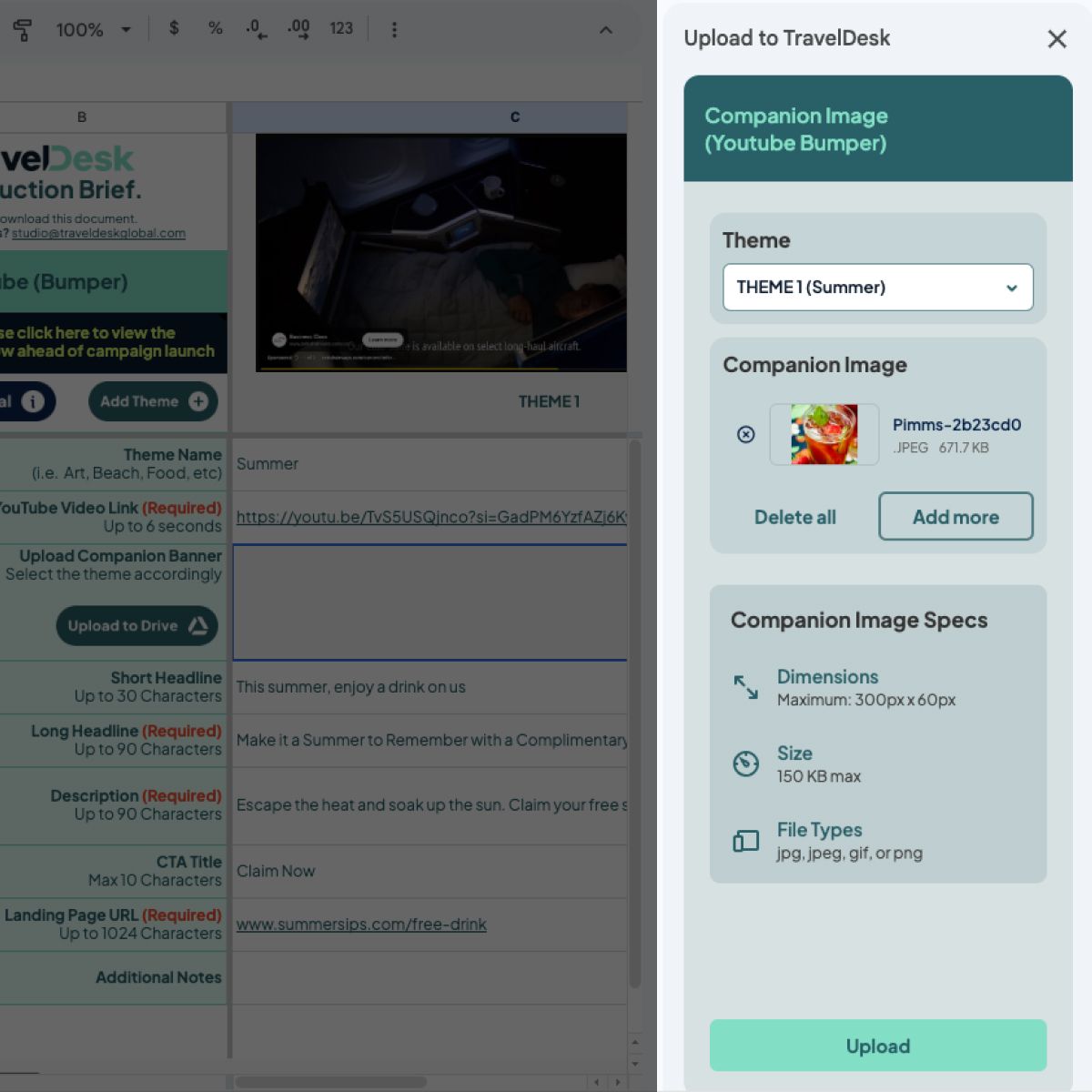
Files can also be uploaded and organised directly in the production team's Google Drive space through the sidebar upload forms.
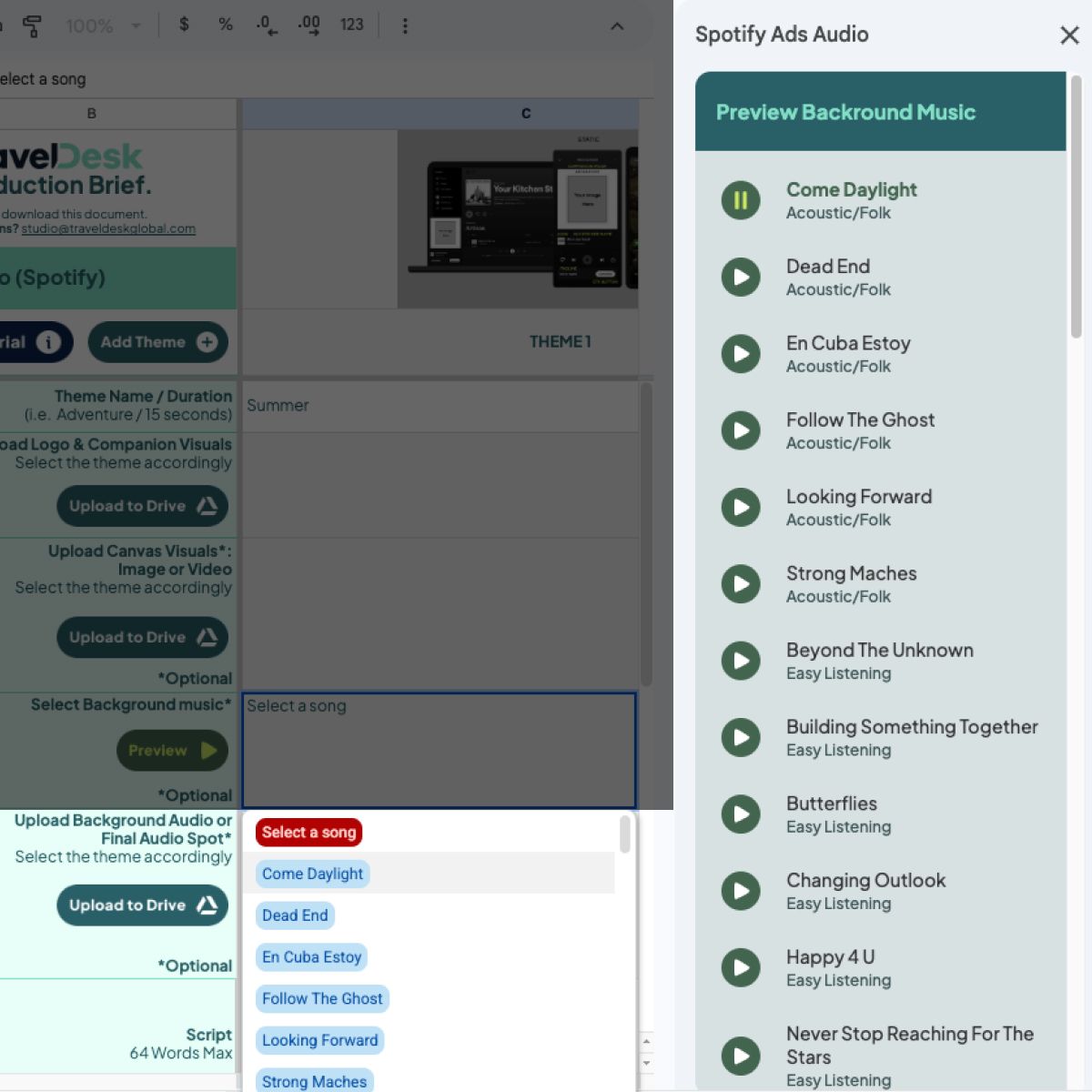
Clients have the ability to preview and select background music available on Spotify’s ad platform.
The upload feature was developed using Google Apps Script as the server layer and a custom HTML sidebar as the frontend layer.
Apps Script handled:
The HTML sidebar:
Files were verified on the frontend and backend to ensure data integrity and prevent misuse.
This separation also ensured:
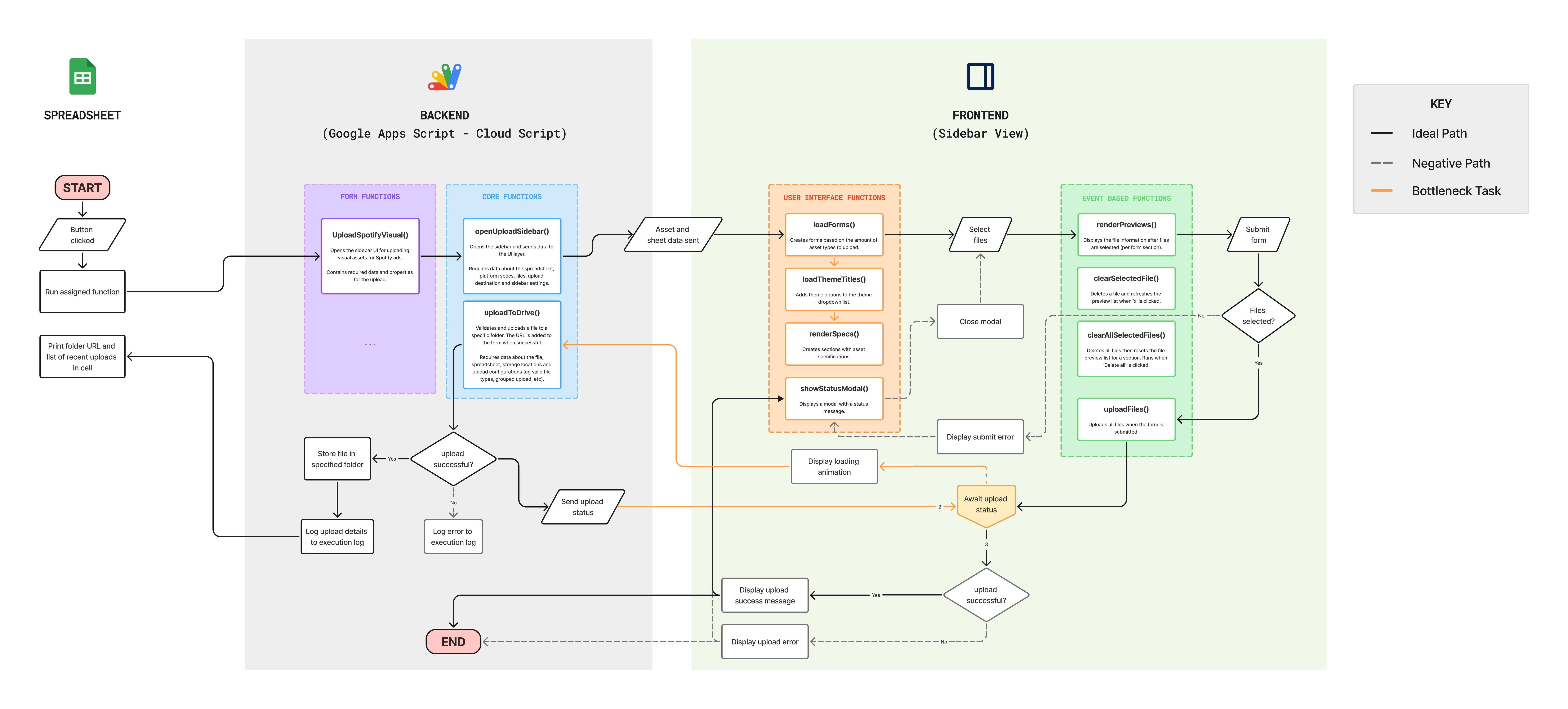
A high-level flowchart illustrating the core upload functions and process. (See full image)
Google Drive was integrated into the codebase by requiring the “Google Drive Service” in the coding environment. This was used to enable files to be uploaded to the production team’s Google drive folder.
Once integrated, I was able to use its methods to control Google Drive.
Used in the sidebars and modals for content and custom UIs.
A library containing built-in methods to control and access the spreadsheet and other Google Apps.
Apps Script uses JavaScript ES5 syntax and is bound to individual files.
Used in conjunction with Google App Script to create, read, update and delete data in the spreadsheet.
Javascript is also used in sidebar content to read and display file information in the upload feature.
Visual assets are stored in AWS S3 to reduce file size and loading speed.
All staff have the ability to edit and use the features (scripts) within the production brief.
Before these scripts can run successfully, users have to grant permissions to the script to access Google services and data under their (Google) account.
As more forms were added, I noticed the briefs were large (~50 MB). This was because the custom UI elements and high-res reference images were embedded into the spreadsheet. After externally hosting the images, The file size reduced to ~15 MB.
To reduce network overhead in the sidebar UI, I combined all icons into a single SVG sprite. This significantly reduced HTTP image requests and improved loading speed within the Apps Script environment.
Initially, I implemented character counting using scripted functions. While functional, this introduced unnecessary loading states and performance overhead. Refactoring to native Google Sheets formulas significantly improved responsiveness and reduced execution latency.
Sometimes, the custom buttons can be misplaced in spreadsheets after loading. They return to their original position after switching to another sheet and returning. This is an issue on Google's side and they are aware of it.
This project streamlined the production team's workflow and made things easier for other teams. Additionally, this project:
Following adoption, additional features and updates were introduced based on team feedback. This reinforced its role as a living internal product.